


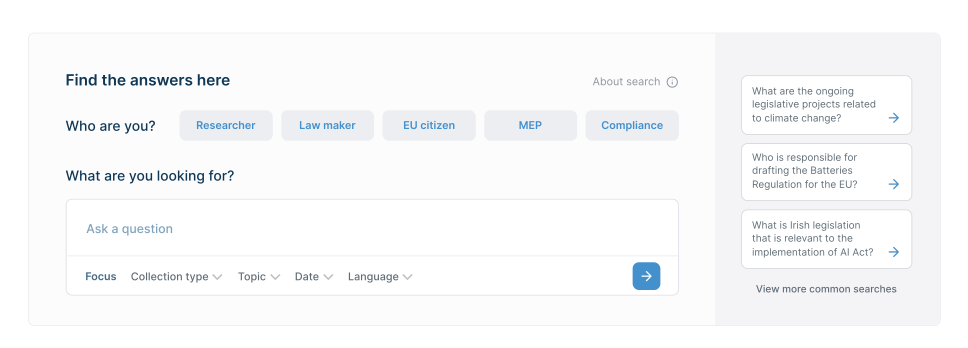
Searching complex laws for accurate information is challenging for everyone, from citizens to legal experts. 😕
Eur Lex provides a new search method for laws from the European Parliament, the EU's legislative body. It serves diverse users (MEPs, citizens, journalists, etc.) with its vast library of European regulations and all editions of the Official Journal of the European Union since December 1952!
01. The problem
Is there a more efficient way to search the library?
Most visitors to the European Parliament's website are task-oriented, seeking specific information rather than exploring the institution. Once they find what they need, they typically leave the site.
The challenge lies in creating a search experience that delivers precise results swiftly, while also providing essential context for informed decision-making. The current keyword search through thousand of documents is inadequate for this purpose, leading to significant user frustration 🤯.
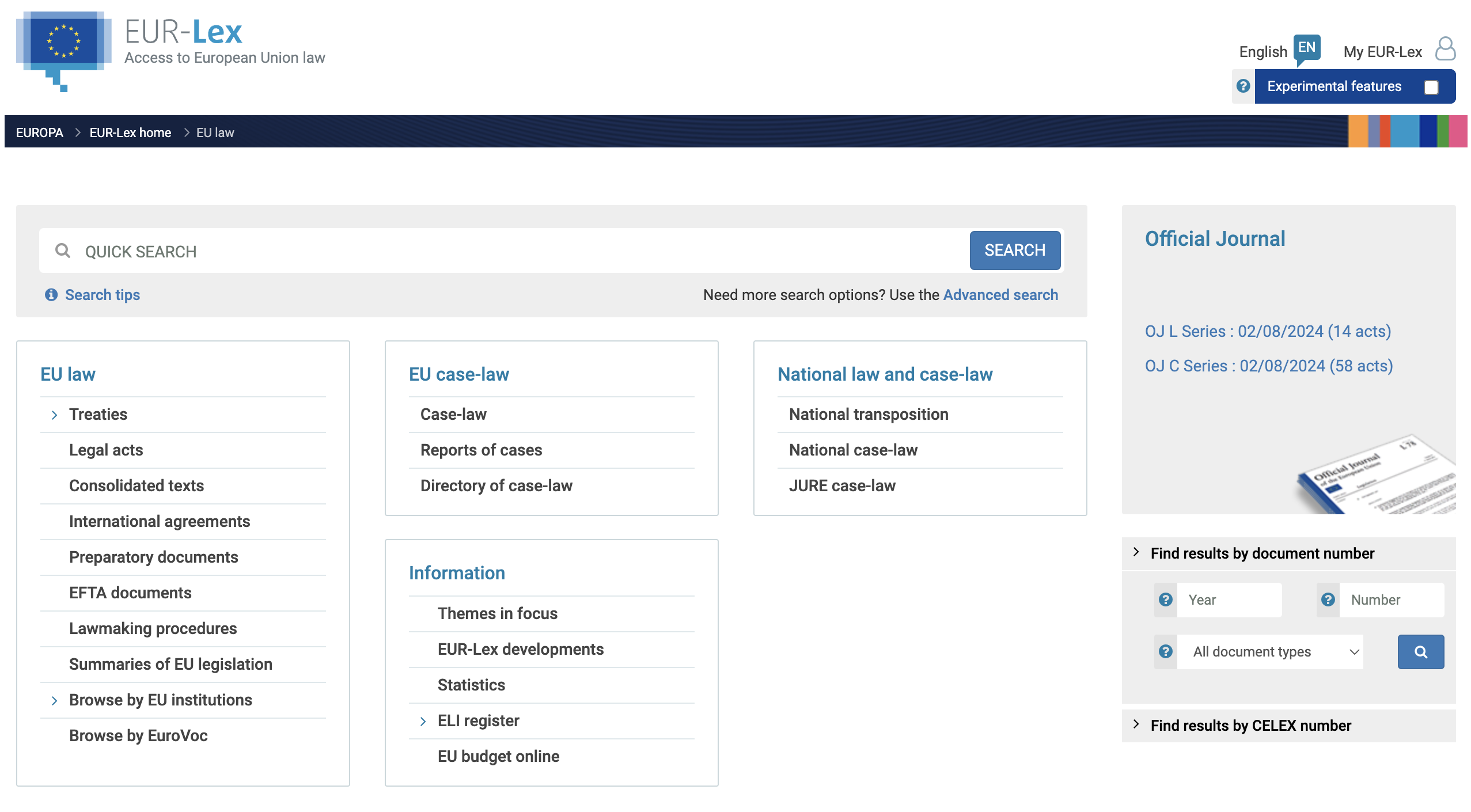
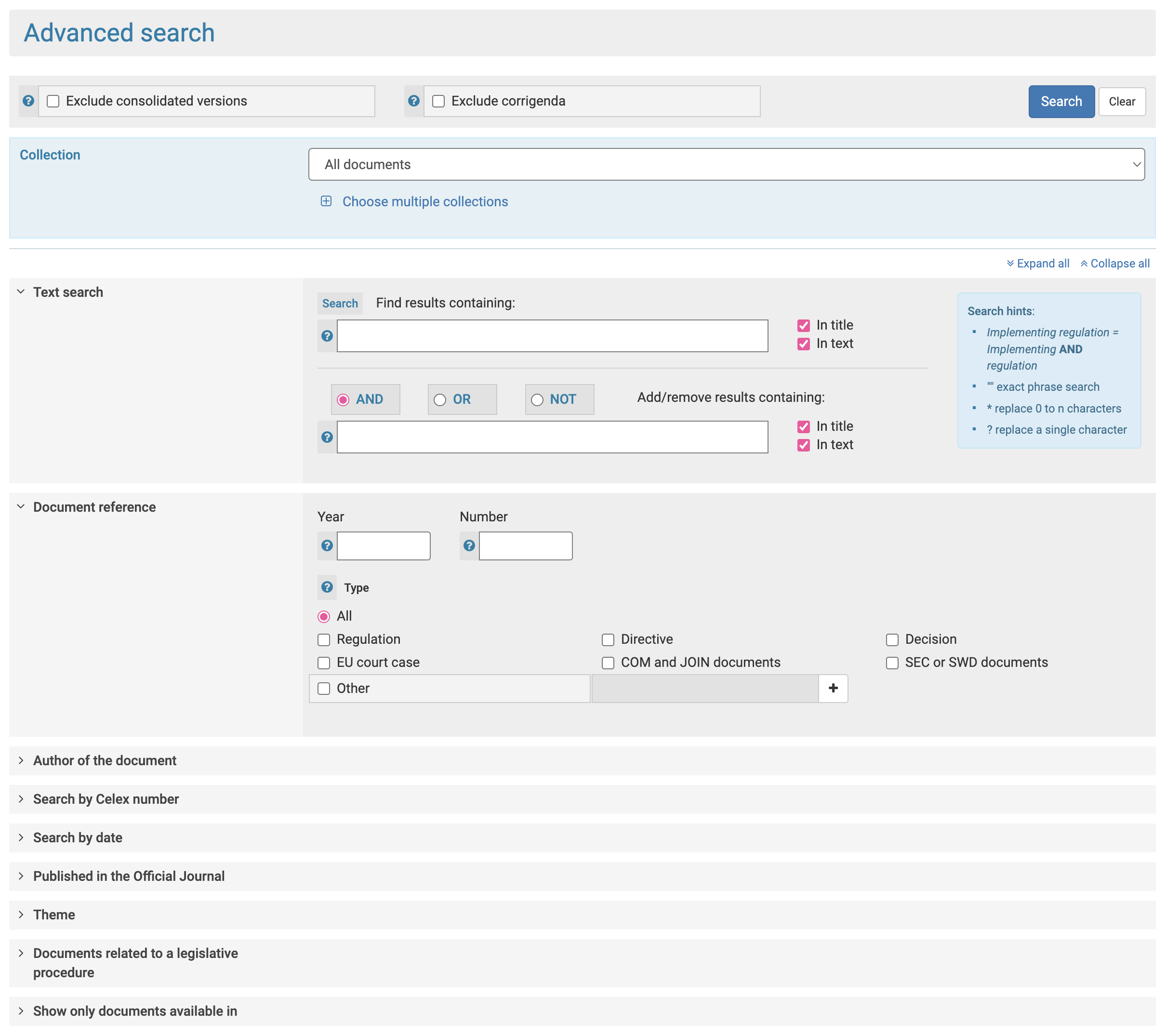
The current state
Most visitors to the current European Parliament's search page are primarily seeking specific information rather than exploring the institution. The current search function is hindering this goal. Slow, complex searches with limited context and buried options create a poor user experience. To better serve users and encourage deeper engagement, the website needs to prioritise discoverability.
02. The goal
Boosting search efficiency and accessibility
This project aims to enhance information accessibility across multiple websites by improving search functionality. It also aims to create another way into this library by having a standalone application that can feed into our compliance solution. By doing so, we want to help both internal and external stakeholders find information more quickly.
We want to:
Reduce search failure rates by 50%.
Decrease time in finding relevant information by 30%.
03. My role
UX design
My role as UX designer was to facilitate discovery sessions with the Product and Engineering teams and translate this feedback into visual concepts and user flows.
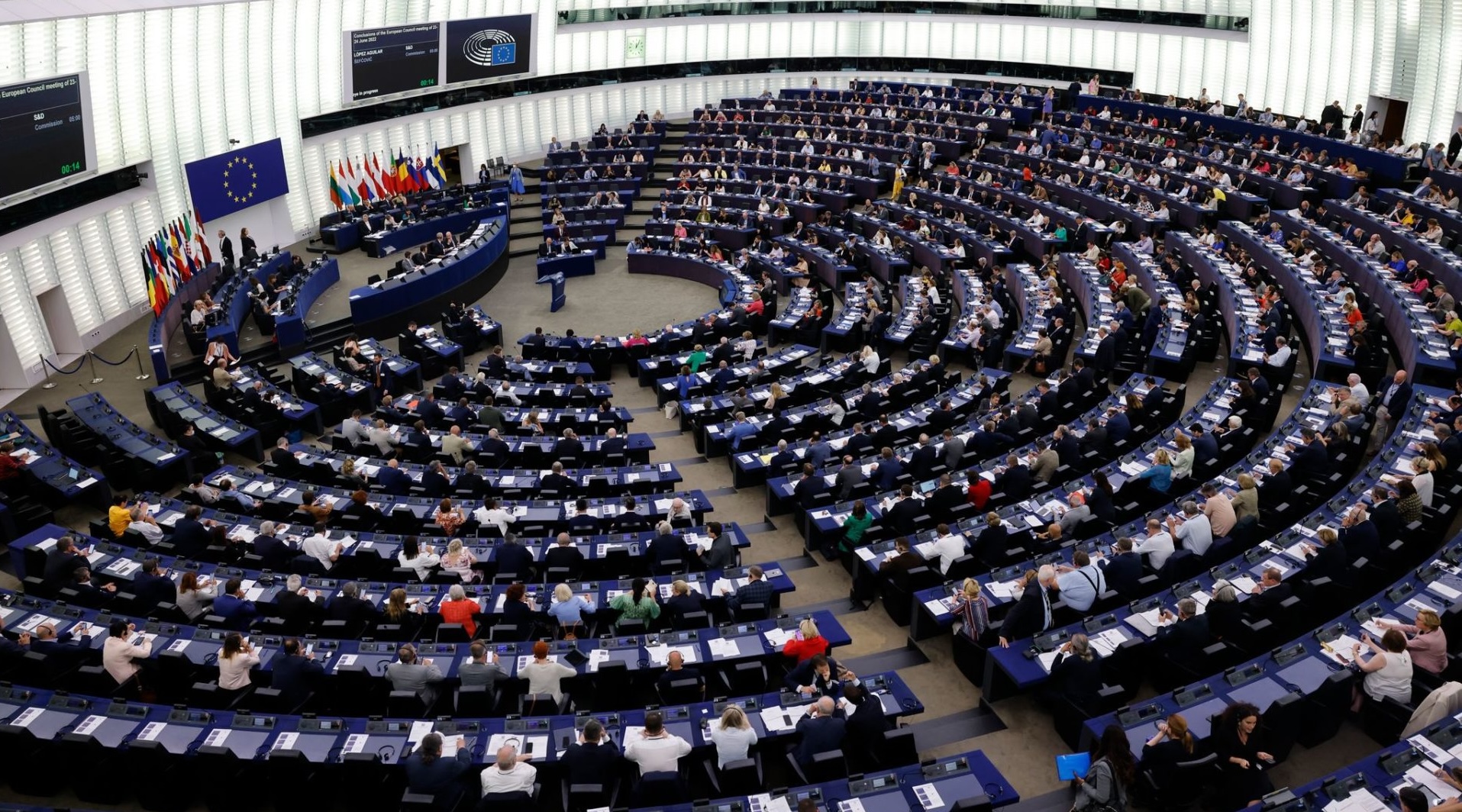
The EU Hemicycle is the chamber where MEPs debate and vote on European laws.
04. Research
Finding patterns in the data
Our team was given access to the European Parliament's analytics and feedback from the site.
Task analysis
We worked with members of the European Parliament to work on task analysis using analytic tools. This identified the primary tasks performed by both internal and external users on the website. The analysis also assessed the platform’s effectiveness in guiding users to relevant content and documents.
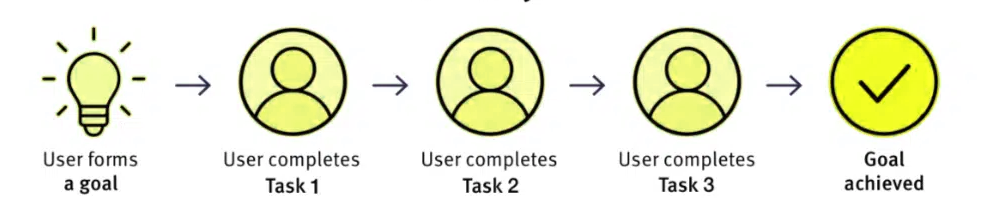
Pain points uncovered
- Many internal and external users aren't able to perform the task they want to do on European Parliament's websites
- Search is either too broad (returns too many similar pages/sites), or too narrow (shows irrelevant results for one particular website)
- There is a mismatch between the priorities presented on the site and the priorities that EU citizens and EP staff have in mind
- Users coming from search engines often lack context of where they are and where they can go next
- Information is scattered all over departments, often duplicated and contradicting each other; and often presented in a way that makes it difficult to understand and find answers quickly
Digging through analytics
Analysis showed that the overwhelming majority of website traffic comes from search engines, split evenly between mobile (52%) and desktop. Users primarily seek news, facts, or reference materials. This confirms information consumption, not engagement.
Top search terms
- EU treaties, laws, rules, judgments
- Implementation of EU law
- Transparency, ethics, standards of conduct
- Legislation impact (societal, country, economic)
- Freedom of information, request access to documents
As you can see it is a varied mix of content.
05. Discovery workshop
Using event storming in a discovery workshop
The product team conducted an event storming workshop to map the entire user journey for the search flow. This collaborative and visual approach, using a Miro board and sticky notes, resulted in a comprehensive blueprint that informed our wireframing process and encouraged creative problem-solving.
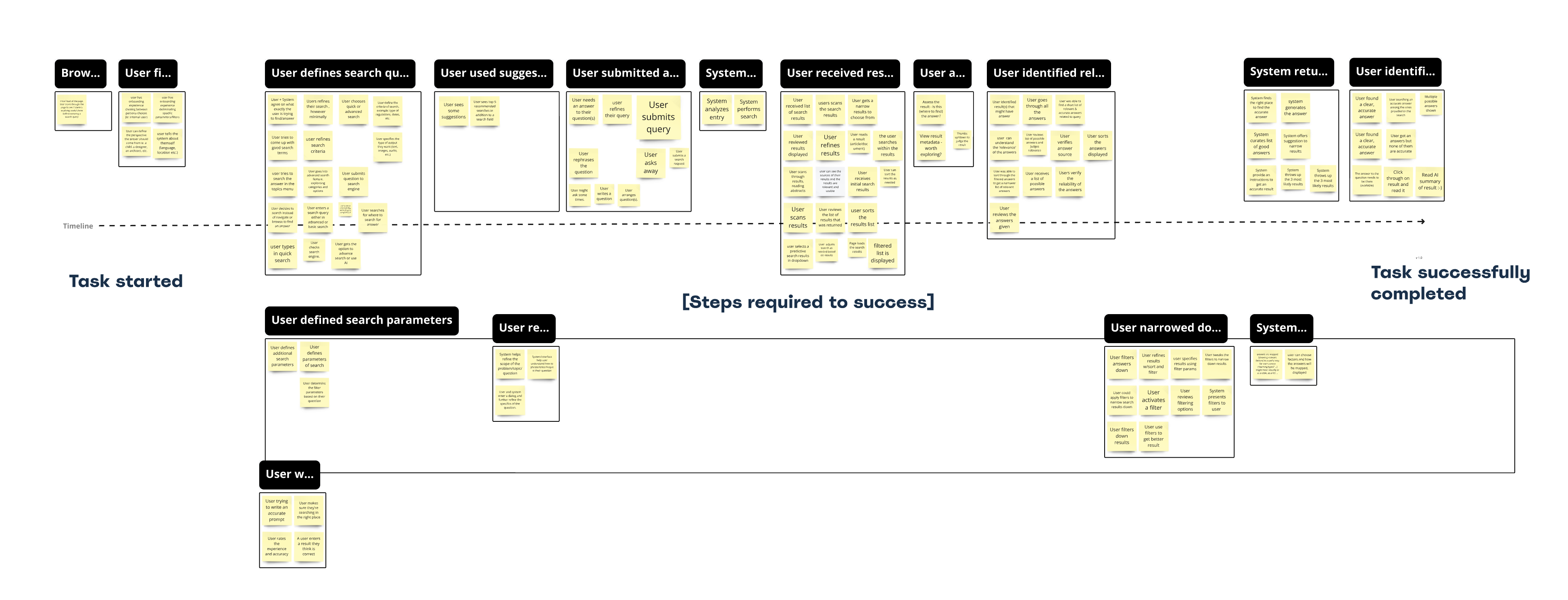
Current task flows mapped out
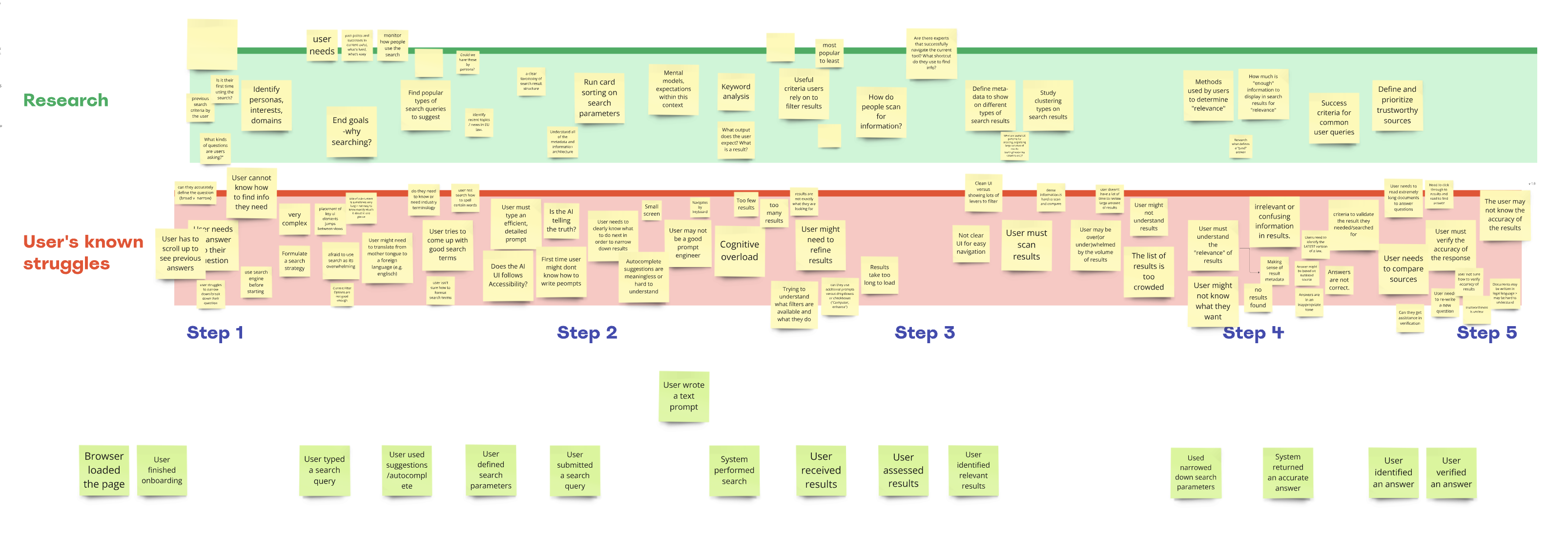
Issues and painpoints found and proposed solutions by our team
06. Getting technical
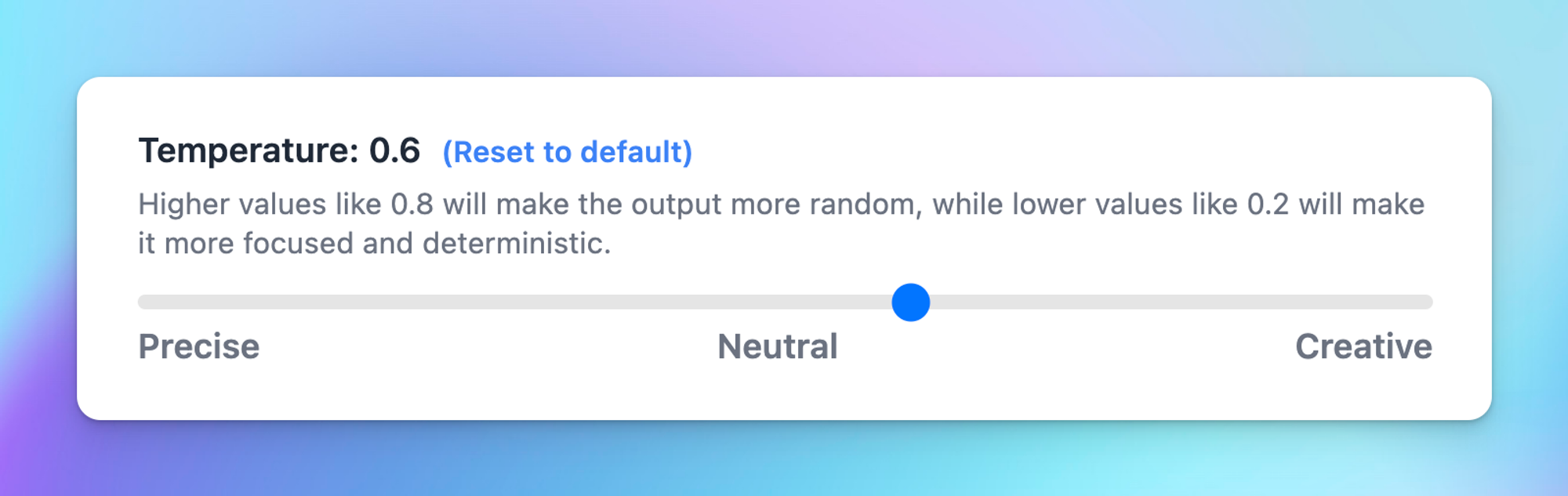
Controlling the parameters with temperature and top_p
Although temperature and top_p are often considered technical parameters primarily relevant to engineers, they hold big implications for designers. An understanding of these parameters is crucial for creating AI driven experiences that align with user expectations and preferences.
Temperature
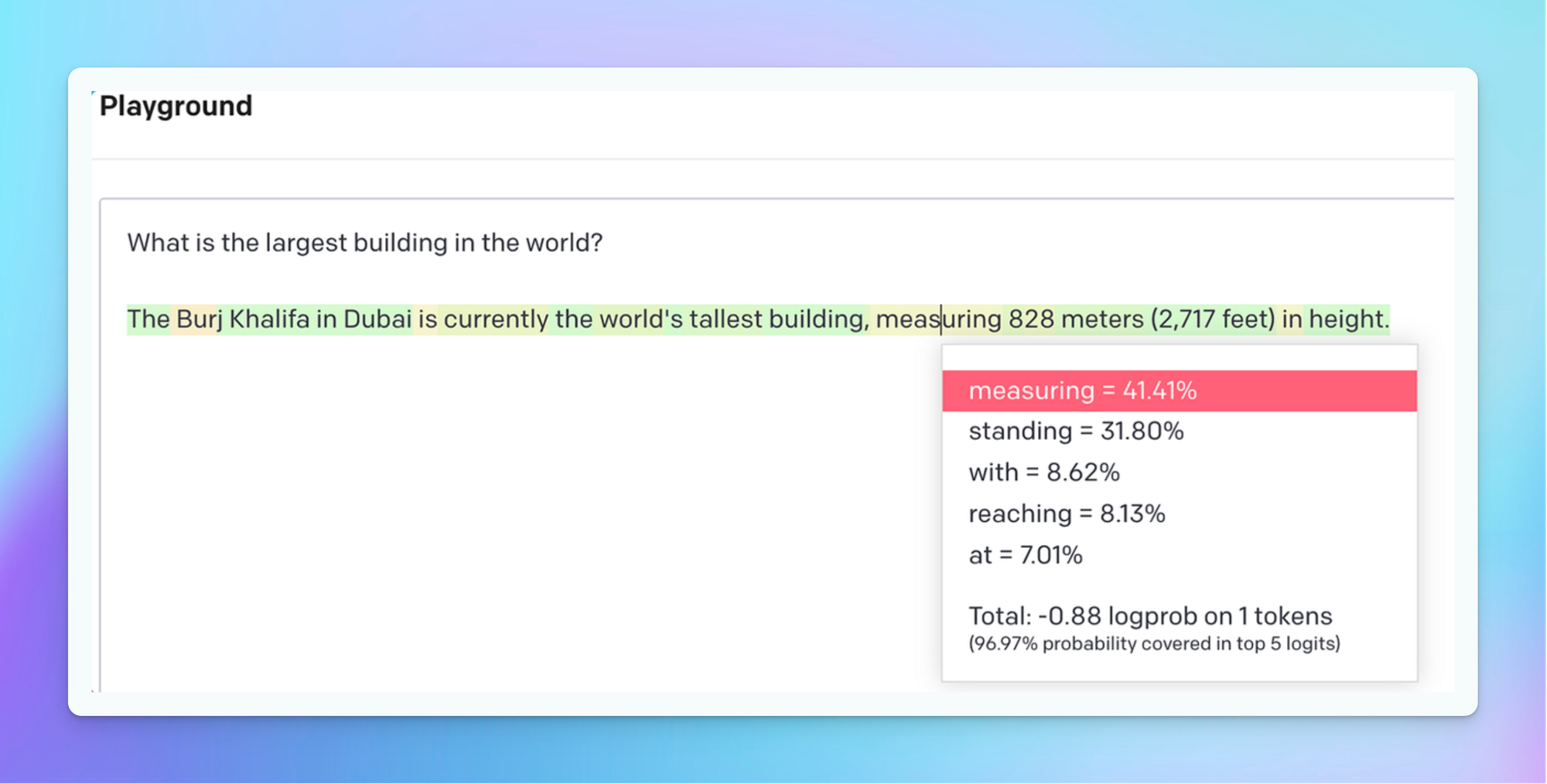
Temperature is the measure of entropy or chaos in generated output. It is a setting that controls randomness when picking words during text creation. Low values of temperature make the text more predictable and consistent, while high values let more freedom and creativity into the mix, but can also make things less consistent.
Top_p
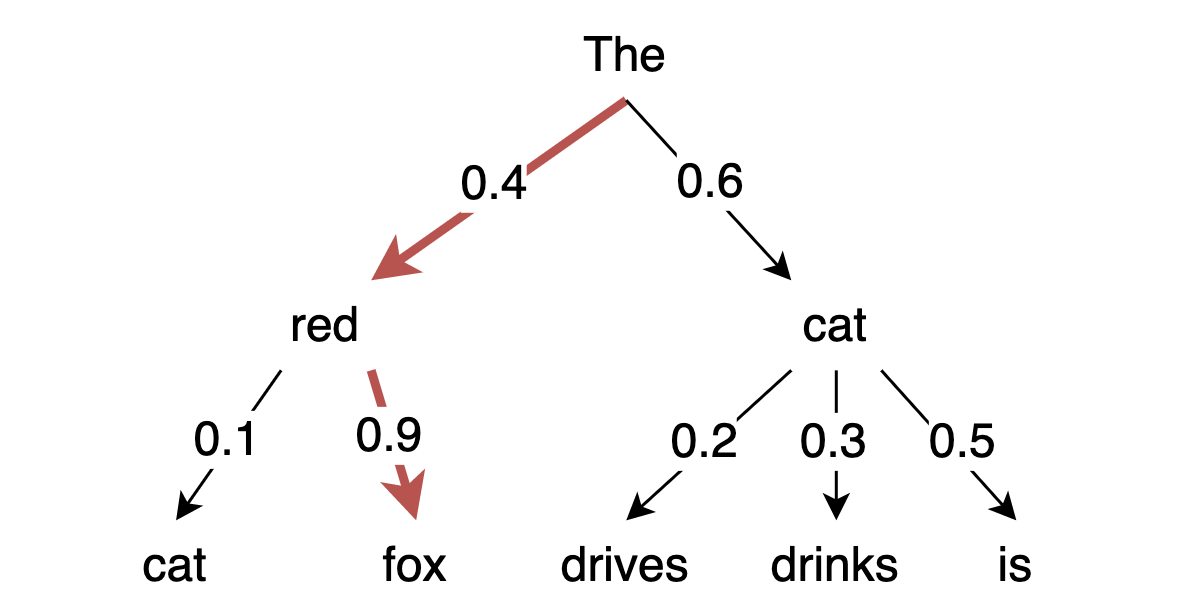
Top_p or nucleus sampling is a setting that decides how many possible words to consider. A high top_p value means the model looks at more possible words, even the less likely ones, which makes the generated text more diverse.
Picking the right mix
- High temperature + low top_p (poetry, music, ideation, writing)
Creative accuracy: common words put in unpredictable ways. - Low temperature + high top_p (legal docs, medical diagnosis, analysis)
Predictable precision: rich vocabulary, high clarity. - High temperature + high top_p (art, innovation, advertising)
Unpredictable chaos: unexpected results and combinations. - Low temperature + low top_p (fact checking, analysis, dataviz)
Predictable order: deterministic, simple, predictable.
For our purposes we chose a low temperature + low top_p. We want simple predictable results that are targeted at a wide range of users.
07. Principles
Guiding principles for building for AI
Since we are building with AI for an AI system it's reasonable to expect that there are principles to guide us and also v0. I established a set of guiding principles to ensure responsible design throughout our process and I fed these principles into v0.
Design responsibly
Use a human-centred approach: Determine if AI adds value. AI should improve the user experience or solve real problems in the compliance domain, such as automating repetitive tasks, identifying potential risks, or providing insights from complex regulations.
Design for variability
Use multiple outputs: Recognise the inherent variability of generative AI: When a user inputs product specifications, the AI might generate different compliance strategies over time as regulations evolve or new information becomes available.
Design for mental models
Teach effective use: Explain the benefits, not the technology: When explaining our AI, focus primarily on conveying how it makes part of the experience better or delivers new value, vs explaining how the underlying technology works.
Design for co-creation
Support co-editing of outputs: Give control back to the user when automation fails: This enables users to take over and correct or refine the AI's output.
Design for trust
Calibrate trust with explanations: Explainability and trust are essential in the compliance domain. Users need to understand how the AI arrives at its conclusions and recommendations.
Design for imperfection
Offer ways to improve outputs: Errors and graceful failure. Acknowledging and handling errors gracefully is crucial for designing robust AI systems.
Design for multimodal interaction
Recognising different ways of interaction: Provide alternate inputs. Beyond text-based interaction, consider how voice commands, image recognition, or even augmented reality (AR) could enhance the user experience in a compliance context.
08. AI UX patterns
A paradigm shift in how users interact
AI has changed how we interact with technology. While fundamental design principles remain true, the evolution of AI interfaces demand a new approach to user interaction. Here is a selection of patterns I used.
Suggestions
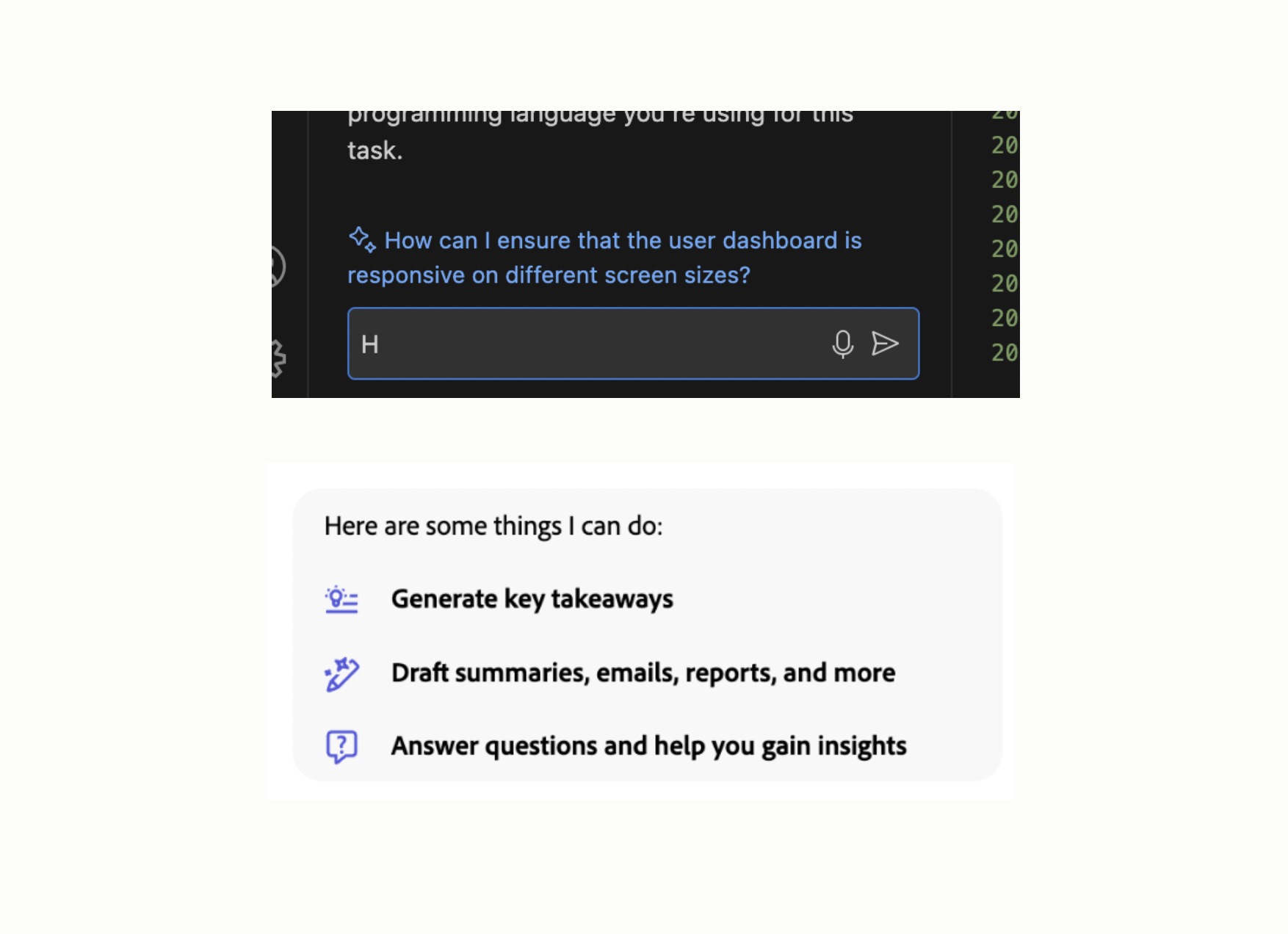
Sample suggestions guide users by offering potential next steps in a conversation. Presented as a list of 3-5 options, these pre-filled suggestions can be selected to continue the interaction easily.
Primary sources
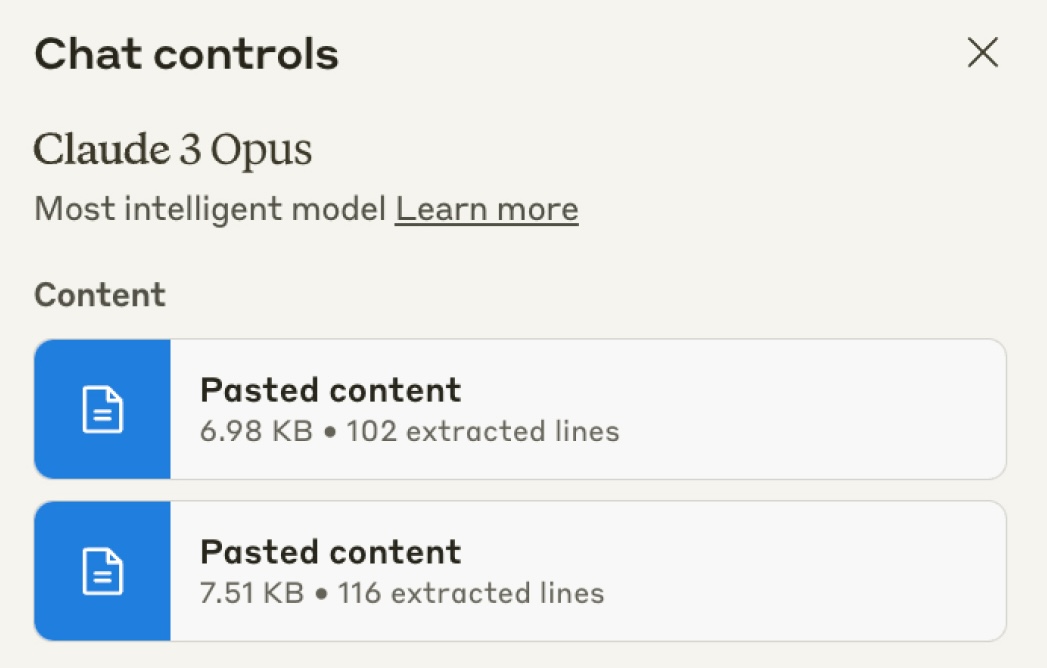
Provide a specific reference point to guide the AI's response. It's difficult to fully convey our intent in a single prompt, but primary sources offer a rich dataset for the AI to analyse.
Personas
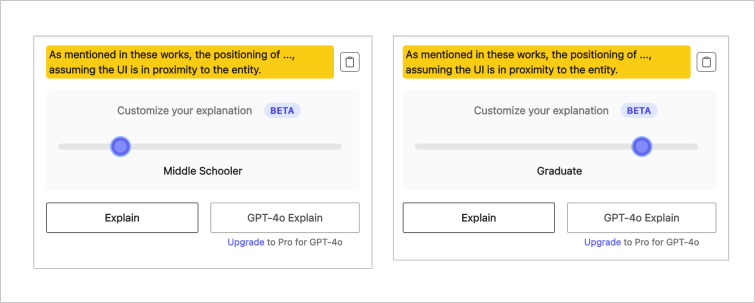
For AI tools to be effective, they should produce output that is consistent with your individual style and preferences. Our users expect to see output they are familiar with in their tone and style.
Nudges
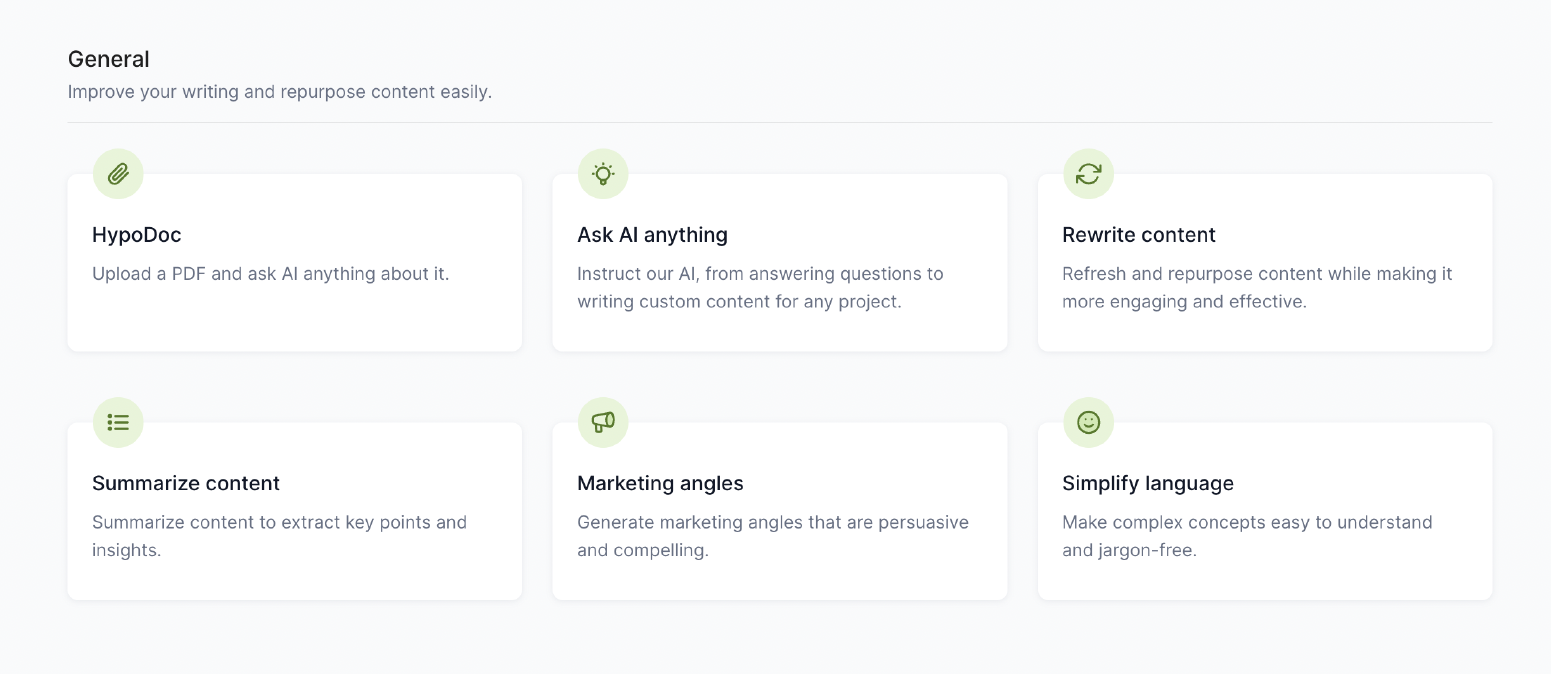
Nudges alert users to actions they can take to use AI, especially if they are just getting started as in-app clues or where they serve users.
Inline actions
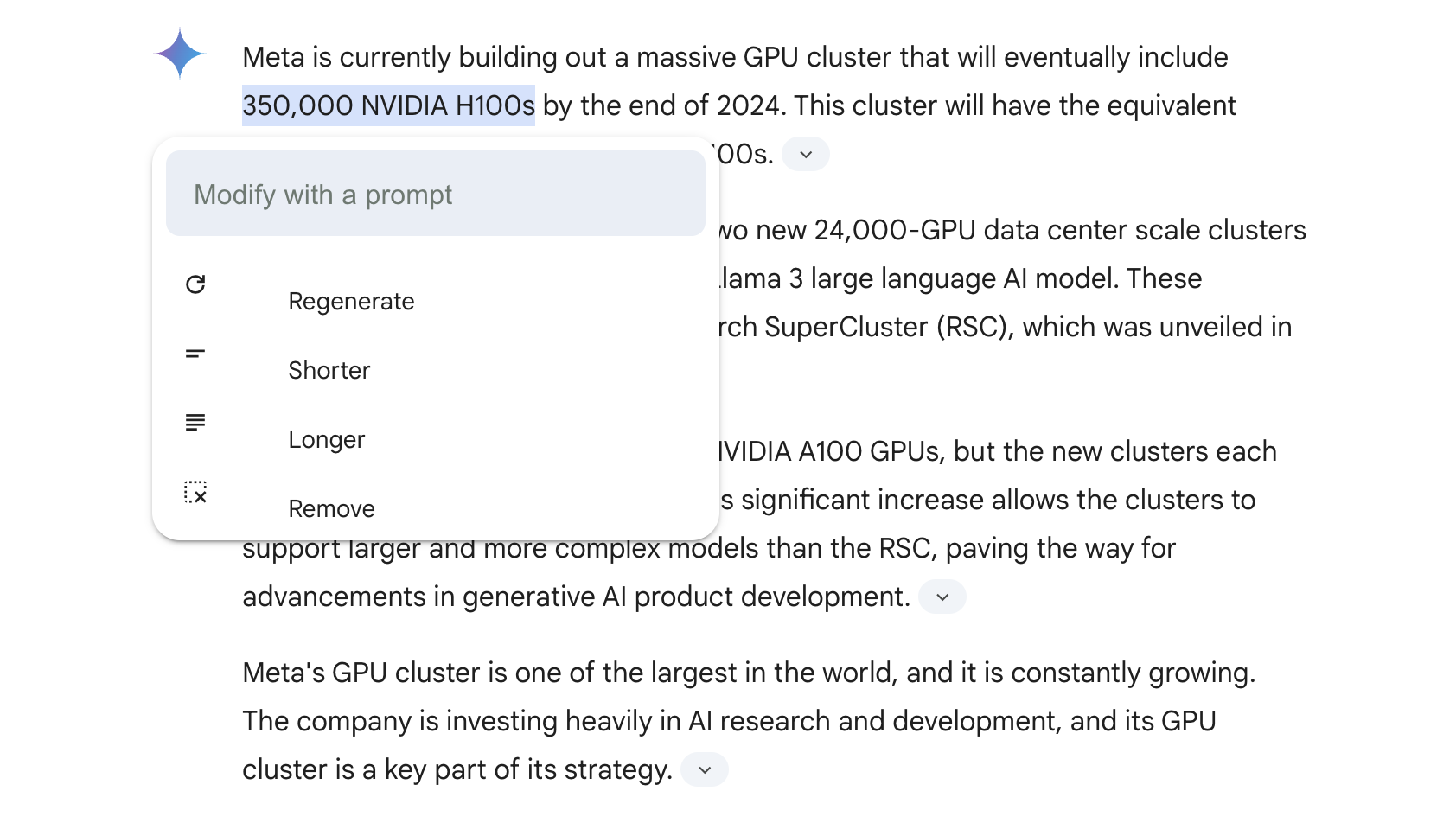
We need ways to let it interact with our content directly. Inline actions gives users the ability the let AI adjust parts of a piece of content without regenerating or impacting the whole.
Citations
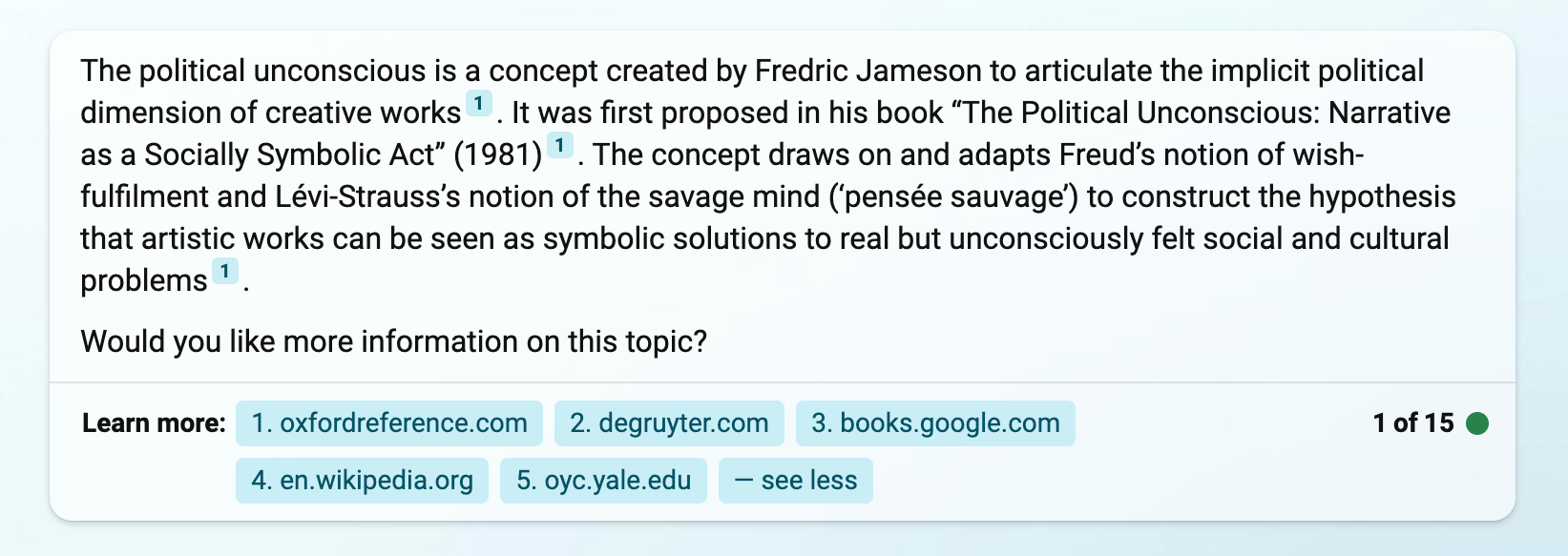
Instead of simply summarising a topic or a primary source, AI can collect information from multiple sources and aggregate it into a single response. Citations help users trace the information contained in a response back to its original material.
09. Design explorations
Experimenting with patterns and layout
I started on a journey of exploration to refine the search interface's user experience. Then experimented with different layouts, information architecture, and interaction patterns to optimise the search flow.
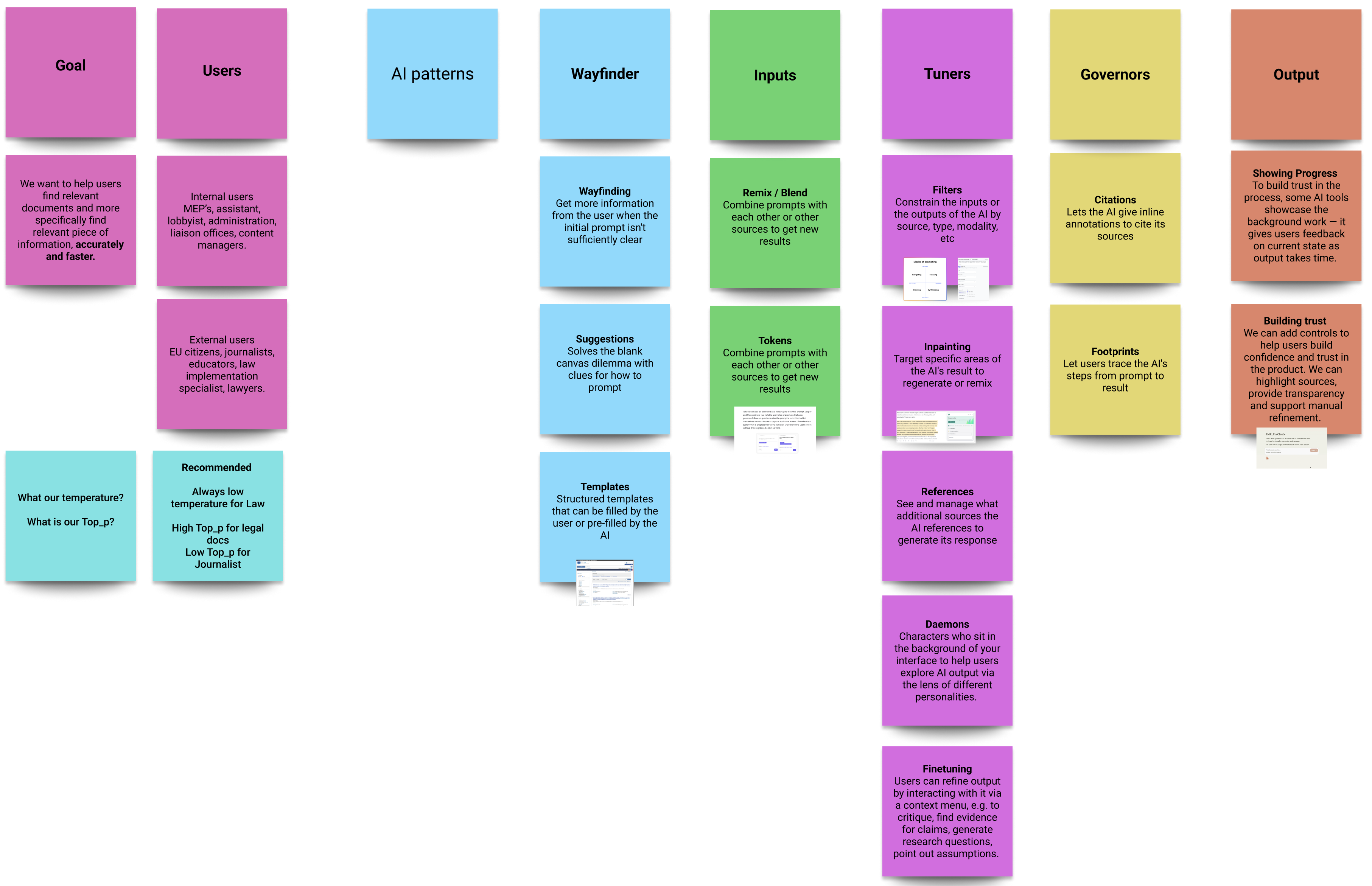
Selecting UX patterns for our flow

Layout ideas

Final flow
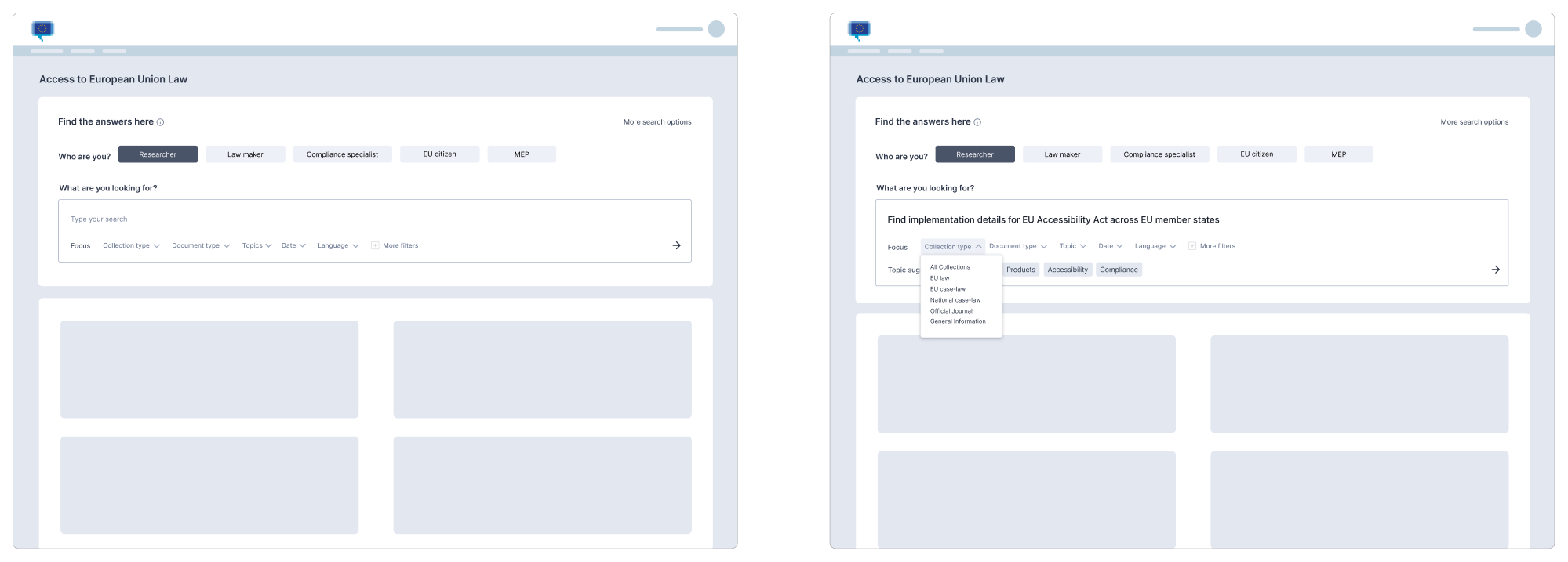
Search page wireframe
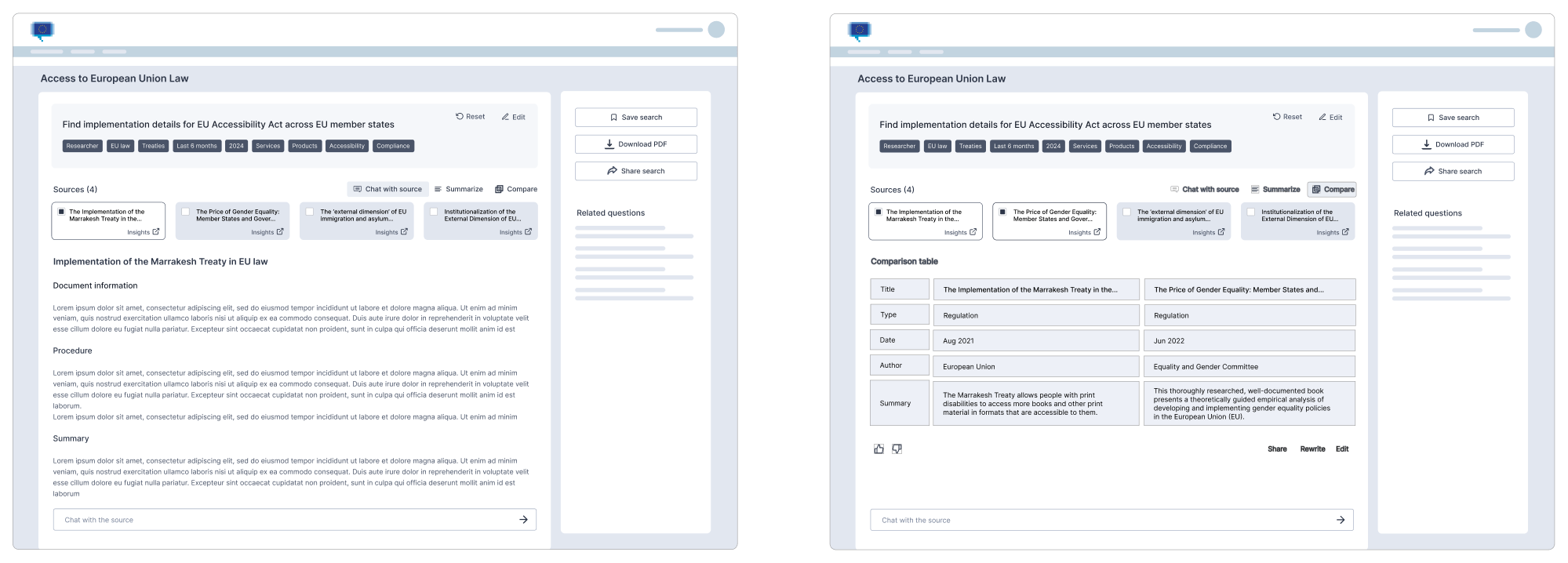
Results page wireframe
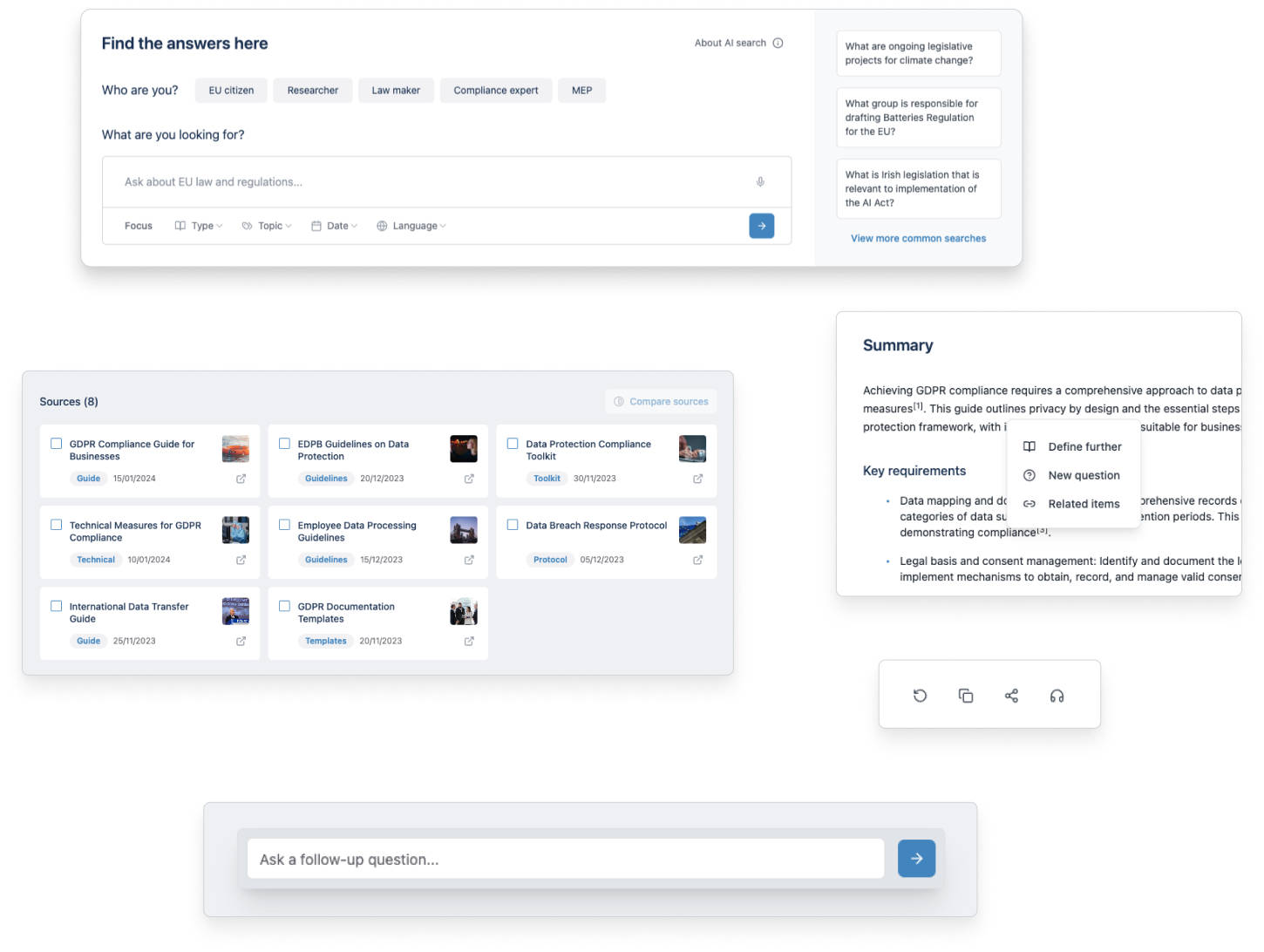
10. Design solution
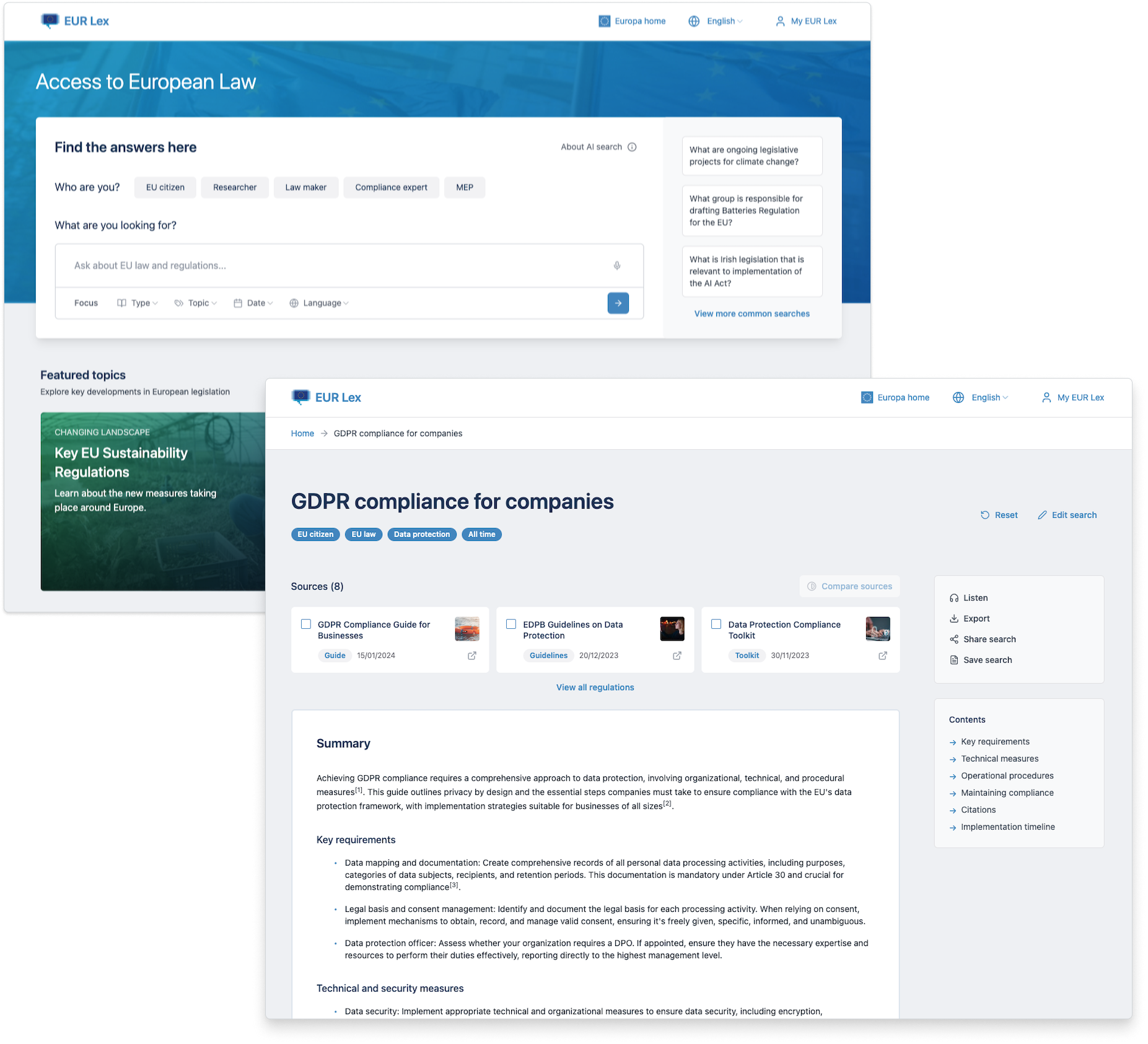
The finished product
Flow from search to results page
11. Impact
Faster results for law makers 🚀
The Eur Lex platform underwent user trials with key user groups, including MEPs, legal professionals, and public users.
The response was overwhelmingly positive, with the redesign achieving its core objectives and delivering a vastly improved, more efficient search experience:
Usability
50%
Reduction in search failure rates
Users reliably found crucial info, minimizing previous search frustrations.
Customer success
30%
Decrease in time to find relevant info
Allows users to navigate the extensive EU legal database with unprecedented speed.
Satisfaction
High
Boost in user confidence
Direct feedback and usability tests overwhelmingly confirmed that users found the AI-generated results highly relevant.